If your SmartClean system is not working, the troubleshooting tips below may help you find a solution.
We recommend you follow the steps in the order listed below. In between steps, check to see if the issue is resolved before moving to the next.
My Philips SmartClean system is not working
Published on 20 March 2023
1. Connect with a power source.
Your Philips SmartClean station needs to be plugged in to work.
Always check if the device is connected to an electric socket before turning it on.
Always check if the device is connected to an electric socket before turning it on.
2. Replace the cartridge.
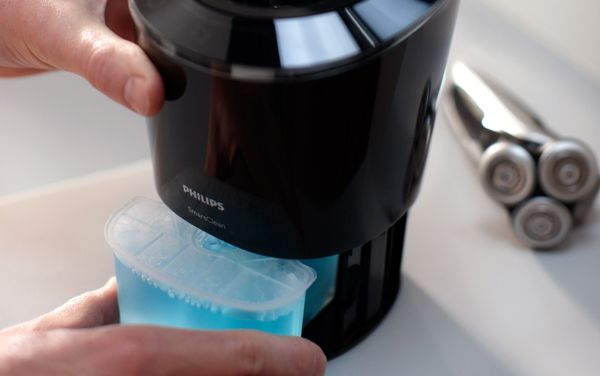
If the arrow symbol on your SmartClean unit lights up, the cartridge with the SmartClean cleaning solution must be replaced.
Replace the cartridge by opening the bottom section of the SmartClean system.
Refer to your user manual to learn more about replacing your SmartClean cartridge.
Replace the cartridge by opening the bottom section of the SmartClean system.
Refer to your user manual to learn more about replacing your SmartClean cartridge.
Play Pause
3. Reset the SmartClean.
If the SmartClean device is still not working, we recommend restarting it.
Unplug the device from the power outlet, wait for 10 seconds, and plug it back in.
Unplug the device from the power outlet, wait for 10 seconds, and plug it back in.
Are you still having issues with your SmartClean system?
If none of these tips help, your SmartClean system may be damaged internally. We recommend that you request a repair or exchange.