Use the original USB‑C cable that came with your pump.
Use a wall adapter (charger) that supports at least 5V ⎓ 1.8A (9W) or higher.
If you use a different cable or a low-power adapter, the pump may charge very slowly, stop charging, or not turn on.
Use this guide to fix common charging, battery, and power problems with your Philips Avent Hands-free Electric Breast Pump, such as:
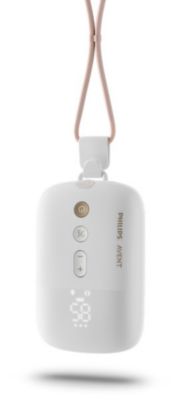
Important: This troubleshooting guide is only for the Philips Avent Hands-free Electric Breast Pump (see the product image below).
Use the original USB‑C cable that came with your pump.
Use a wall adapter (charger) that supports at least 5V ⎓ 1.8A (9W) or higher.
If you use a different cable or a low-power adapter, the pump may charge very slowly, stop charging, or not turn on.
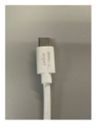
No lights? Unplug everything, plug it in again, and try a different wall outlet.
The images below show what a correct connection looks like and how to read the battery lights.
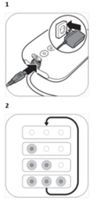
If the pump won’t turn on or turns off, the battery may be low. Check the battery lights on the motor unit to see how much power is left.
When fully charged, the Hands-free Electric Breast Pump can run for up to 5 pumping sessions (about 150 minutes for single pumping or about 75 minutes for double pumping).
If the battery is low, charge the pump. A full charge takes up to 1.5 hours.
Note: Rechargeable batteries wear out over time. This means charging time and run time can change as the pump gets older.
If you need to pump while the battery is low, you can use the pump while it is plugged in. The pump will not charge while you are pumping.
If you see “Er” on the motor unit and the pump turns off, try the following:
If the problem is still not fixed, contact the Philips Consumer Care Center in your country or use the repair and exchange button below.
If you need to keep using the breast pump while you wait for a solution, use it only while plugged into a suitable power source.

Select country/region
Iraq (English)